Posts

Showing posts with the label #QBO

Quickbooks Shortcuts to Increase Productivity

Image
Ever wondered if there's an easier  way  to navigate Quickbooks Online? Check out these time saving keyboard shortcuts. Press Ctrl + Alt + any one of these keys to complete the desired task. For more tips and tricks, visit the official Intuit Quickbooks website at:  https://quickbooks.intuit.com/accountants/resources/firstuse/productivity/?CID=DR_EM_008_38246_US_ASG Got a Quickbooks Mess? Call the Quickbooks Gal 

What's New: Mobile Time Tracking

Image
New Improvements this Month! When using Quickbooks online, you now have the ability to track time more efficiently than ever. Not only does this option have a better look to it, but are now included on your computer and mobile phone. Not only does the mobile option make it easier on employees to report time, but employers to record it. Below, we have displayed both computer and mobile  views. With an update to this option, its goal is to encourage more interaction. Time-tracking employees can enter in time sheets weekly, or by activity. You can also observe summaries for a certain time period as well. Benefit Alert! Solely time-tracking users are non-billable, so small business owners can add as many time trackers and they need in order to run their business efficiently!  Have fun time tracking with this new and improved feature!  For more information, feel free to visit Quickbooks Website @  http://quickbooks.intuit.com/blo...

QuickBooks 2013 is Discontinuing

Image
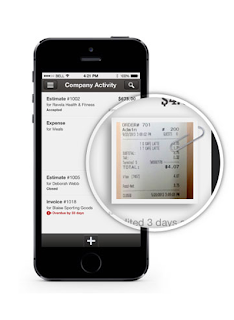
May 31, 2016 QuickBooks 2013 will be discontinued.  If you have 2013 now, don't be alarmed, your product will still work you just won't be able to have tech support or have add-ons. Products that will be discontinued May 31st: Pro 2013 Premier 2013 Mac 2013 Enterprise Solutions 2013 What can you do? Upgrade to QuickBooks Online!  THE QUICKBOOKS GAL IS OFFERING THE FIRST 30 MINUTES FREE TO SET UP AND TRAIN FOR QUICKBOOKS ONLINE!  There is so much you can do with QuickBooks Online  You can create invoices, accept payments, you can even take photos of your receipts and upload them to QuickBooks! Have Point of Sale or thinking about getting Point of Sale? If you have a Point of Sale system, iPad by Revel or Desktop version, it automatically updates your QuickBooks Online. No more double entry and no more staying up all night entering end of the day transactions! With QuickBooks Online you can: See who has paid an...

QuickBooks Online Keyboard Shortcuts

Image
Because we like making your life a little bit easier we have created a keyboard shortcut for QuickBooks Online :) For the full list visit: https://help.quickbooks.intuit.com/en_us/kb/000001110_en_US:SALESFORCE.modal?searchTrigger=null Entering Dates: Next day + (plus key) Previous day - (minus key) Today T First day of the Week W Last day of the week K First day of the Month M Last day of the month H First day of the Year Y Last day of the year R Choose items in drop down list: Press Tab until you reach the field. Press Alt + down arrow to open the list. Press up arrow or down arrow to move through the items in the list. Press Tab to select the item you want and move to the next field. If you don’t want to open the whole list, but just want to scroll through the items in the text box, press Ctrl + down arrow or Ctrl + up arrow.   Save Forms: press Alt + S instead of clicking Save.   In Firefox and Chrome use Alt + Shift...

New Register in QuickBooks Online

Image
                    Check out the new faster, cleaner registers in QuickBooks Online. There is a new filter option that offers both a find and filter. Sorting is also included. You will be surprised how much you like to see the new transactions on top.  1) Under settings go to QuickBooks Labs   2) Go to new register and turn it on      3)    Go transactions then Banking then Go to Register      4) Once you are there you can see that newest transactions are automatically at the top.     5)        You can add new transactions by clicking the down arrow by add a check and then select what transaction you want to add.                     ...