Posts

Showing posts with the label #BiggestLittleCity

New Year, new way to view your mail!

Image
New Year, new way to view your mail! Are you often checking your mailbox only to be disappointed? Now, you can save yourself a trip by using USPS Informed Delivery® This feature, found on USPS website at https://informeddelivery.usps.com/box/pages/intro/start.action allows you to digitally preview your mail and/or packages before they arrive to your home. Informed Delivery allows you to preview the size of your mail, see who they are coming from and where they are in their journey from the post office, to you, all in one place! You can also provide instructions on where you want the package or reschedule your delivery if you are not home. However, not all areas of the country qualify for this service, confirm with your zip code using the link above before you begin. Once approved, you will be asked to create an account, verify your identity and have the ability to receive notifications. View your mail anytime, anywhere on any smart device for no additional cost! Got a...

Back to the Basics: Quickbooks Edition

Image
Back to the Basics: Quickbooks Edition Chart of Accounts The Chart of Accounts is the entire list of a business’ accounts and their balances. This keeps tab how much money your company has, owes, and what’s coming in and out. The more accurate the information is, the more useful the reports will be, therefore watch out for errors and try to be consistent as possible when assigning accounts to transactions. Balance Sheet All the information listed below is an accurate representation of what is listed in a balance sheet. The Balance Sheet is useful for giving a summary of your business at a certain period in time. It displays what you own (assets), what you owe (liabilities), and what you have left over (equity) at a certain point in time. Use this type of account in your Chart of Accounts To Track Assets Bank Checking, savings, and money market accounts. Use on bank account for every account your company has at a bank or othe...

QBO: How To Accept Invoice Over Payments

Image
Invoice Over payments? Here's How to Process Them If you are a constant user of Quickbook payments, here are some tips on how to accept invoice over payments you may have sent your clients. This action lets your customers pay an amount great than an invoice total, a hassle free way for them to make payments on outstanding balances or give you a nice tip! Here's How: 1.  Send an invoice to your customer. Create > Invoice >Save and send > Send and close. 2.  Your customer receives the invoice in an email and clicks the View invoice button. 3. Customer clicks "Pay now" 4. Customer reviews and edits payment, clicks next 5. Customer sends payment 6. You will get a notification! Click to process. Apply it: You can apply the over payment credit in a few ways: Apply the credit to an existing invoice for your customer. Apply the credit to a new invoice you want to send to your customer. A...

Quickbook Updates

Image
Your Quickbook Reports are Updating! In the weeks to come, you will be seeing some updates and improvements to your reports: • More options for professional-looking reports that can easily be shared and printed. • Customizing reports will be  easier than ever, especially with more new options. • 10 new ready-to-use reports, with more to come. Don't worry, you can still use any custom reports you've previously made . First off,   to access these improvements....   Click Reports in the left navbar, followed by the name of a report (like Profit & Loss). If you don't see that, click Gear; QuickBooks Labs and to turn on the Redesigned Reports. Now,  you can explore the new features such as Change the common options at the top of the page, as well as c hange other report options Add notes Expand/collapse sub-items Edit header to  show a logo &   change the report title and subtitle Print, email or save report as PDF & many more! ...

Countdown To 2017 Filing Deadlines

Image
Are you prepared for the new 2017 filing deadline for W-2/W-3 and 1099/1096? 1099/1096 and W-2/W-3 forms are now Due by January 31 st . Both paper and electronic 2016 tax year forms are due by January 31, 2017. Where you file is still the same, 1099 goes to the IRS and W-2 and W-3 goes to SSA. The Social Security Administration and IRS expect to streamline and quality control the process of matching forms to prior tax returns sooner, thereby more effectively reducing identity theft or false refund claims. Are you ready?  Hint:   October is a great time to start collecting Subcontractor W-9’s and updating Employee W-4 information updates so you will be ready on January 1 st to take charge and comply with the  new 2017 filing requirements. For more information on the new deadline or need help to meet the new deadline contact The QuickBooks Gal! The QuickBooks Gal now has online booking! Visit our website at www.qbgal.com to schedule your ...

QBO App For Mac

Image
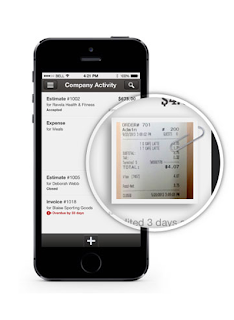
QuickBooks Online now has an app for Mac users! And it's free! Just download the new QuickBooks Online App from your App Store on your Mac! The app will show up on your desktop, so all it takes is one click and you have access to your books! You can stay signed in, have an easier navigating system and the pages load faster! You can even have multiple windows open! Just drag and drop windows, this way you can see your Sales Transaction list as well as Open Invoices, or even the check form and the bank register! There is even a Quick View Quick View helps you be up to date on what is going on in your business, straight from your desktop! New to QuickBooks Online? There is so much you can do with QuickBooks Online  You can create invoices, accept payments, you can even take photos of your receipts and upload them to QuickBooks! Have Point of Sale or thinking about getting Point of Sale? If you have a Point of Sale system, iPad by Revel or Deskt...

Data Security

Image
I recently read a reprint of an article in The General Ledger that I would like to share with everyone . Emails With Sensitive Data. Customer, client or vendor emails may contain SSNs, EINs or bank account numbers ripe for identity theft. When you type in an email address, Auto-fill may complete the wrong addressee, leading to sensitive correspondence being sent to the wrong person. Encrypt sensitive email. G-mail autoatically tries to encrypt your outgoing and incoming emails using Transport Layer Security (TLS). If you use G-mail and want to know if an email is encrypted, go to the upper lefthand corner of the message and click on the small down arrow. However, if an incoming email is from a service that that does not support TLS, both outgoing and incoming emails may lack encryption. You can also encrypt a single Outlook email--or all Outlook emails. To find out how, push the F1 button and type "Encrypt email" in search box.  Documents with sensi...

Hate Windows 10? Find Out How to Downgrade!

Image
Did you recently just get the update for Windows 10 and are wishing you hadn't?  Don't worry! As long as it has been 30 days or less since you updated you can go back to Windows 7 or 8.1! For a more step by step directions on how to do so follow this link: http://www.howtogeek.com/220723/how-to-uninstall-windows-10-and-downgrade-to-windows-7-or-8.1/ Open the start menu and click or search "Update & Security" and then select "Recovery"  There should be an option to either "Go back to Windows 7" or "Windows 8.1" Click on one of those options and you should be able to have your old Windows back! If it has been more than 30 days since you upgraded to Windows 10, this option has been deleted. For more information and other ways to downgrade from Windows 10 please visit this website: http://www.howtogeek.com/220723/how-to-uninstall-windows-10-and-downgrade-to-windows-7-or-8.1/ Got a QuickBooks Mess? ...

QuickBooks 2013 is Discontinuing

Image
May 31, 2016 QuickBooks 2013 will be discontinued.  If you have 2013 now, don't be alarmed, your product will still work you just won't be able to have tech support or have add-ons. Products that will be discontinued May 31st: Pro 2013 Premier 2013 Mac 2013 Enterprise Solutions 2013 What can you do? Upgrade to QuickBooks Online!  THE QUICKBOOKS GAL IS OFFERING THE FIRST 30 MINUTES FREE TO SET UP AND TRAIN FOR QUICKBOOKS ONLINE!  There is so much you can do with QuickBooks Online  You can create invoices, accept payments, you can even take photos of your receipts and upload them to QuickBooks! Have Point of Sale or thinking about getting Point of Sale? If you have a Point of Sale system, iPad by Revel or Desktop version, it automatically updates your QuickBooks Online. No more double entry and no more staying up all night entering end of the day transactions! With QuickBooks Online you can: See who has paid an...

Have Remote Session With The QuickBooks Gal? Here is How To Get Started!

Image
The QuickBooksGal offers remote support services; the latest technologies for screen sharing.  Gaining access to your screen allows our experts to view your precise problem and rectify it swiftly.  These remote support sessions allow our Advisers to troubleshoot QuickBooks issues from any location, and it is 100% guaranteed to be confidential.  The QuickBooks Gal has remote sessions, which means we can help you no matter where your business is!  Here is how to get started! Download Chrome: Open up your current browser, such as FireFox or Internet Explorer and Google "Chrome download" Follow the instructions to download- if you chose not to use chrome you can always use join.me but Chrome Remote Session is just easier to use After Chrome is installed Google "Chrome Remote Desktop" Click on Chrome Remote Desktop- Chrome Web Store Click Install: Mine says 'Launch App' because I have already downloaded the app ...