Posts

Showing posts with the label #Books

Profit & Loss Accounts: Are you familiar?

Image
Back to the Basics:  Profit and Loss Accounts A few weeks ago, we posted a blog covering the basics of a balance sheet. This time, we will be covering the Profit and Loss accounts and what they consist of.  Profit and Loss accounts are a component of the chart of accounts: The Chart of Accounts is the entire run down of a business’ accounts and their balances. This keeps track of how much money your company has, owes, and what’s coming in and out. The more accurate the information is, the more useful the reports will be, therefore watch out for errors and try to be consistent as possible when assigning accounts to transactions.  In addition, Profit and Loss Accounts, display how your business is doing over a period of time. It showcases the money that is flowing in and out over a month, year, etc. This is different from a balance sheet, for it only shows your businesses assets, liabilities, and equity at one period in time.  Here's a run down of ...

Hate Windows 10? Find Out How to Downgrade!

Image
Did you recently just get the update for Windows 10 and are wishing you hadn't?  Don't worry! As long as it has been 30 days or less since you updated you can go back to Windows 7 or 8.1! For a more step by step directions on how to do so follow this link: http://www.howtogeek.com/220723/how-to-uninstall-windows-10-and-downgrade-to-windows-7-or-8.1/ Open the start menu and click or search "Update & Security" and then select "Recovery"  There should be an option to either "Go back to Windows 7" or "Windows 8.1" Click on one of those options and you should be able to have your old Windows back! If it has been more than 30 days since you upgraded to Windows 10, this option has been deleted. For more information and other ways to downgrade from Windows 10 please visit this website: http://www.howtogeek.com/220723/how-to-uninstall-windows-10-and-downgrade-to-windows-7-or-8.1/ Got a QuickBooks Mess? ...

The QuickBooks Gal: Now Accepting New Clients

Image
The QuickBooks Gal is now accepting new clients! The QuickBooks Gal not only helps with your QuickBooks messes but also bookkeeping, payroll and much more! Bookkeeping: The QuickBooks Gal bookkeeping services are suitable for any industry: aimed towards businesses of small to medium sizes.  The QuickBooks Gal takes care of all your bookkeeping needs. Services include: Set up Clean up Ongoing Bookkeeping Process daily sales and deposit reports Verify daily deposits and report variances Reconcile and verify credit card deposits Reconcile monthly bank statements ​        And more! Payroll: The QuickBooksGal will take the hours and rates of your employees and manage them in an orderly fashion.​ What Does This Entail? Maintain Payroll Records E-Verify New Employees Process Payroll Direct Deposit Process Governments & Child Support Process Quarterly Tax Reports Process Annual Reports & W-2's Ca...

What Questions To Ask When You Are Looking For A QuickBooks Proadvisor

Image
So you need to hire a QuickBooks Proadvisor. This task can be tricky, you want someone you can trust and feel comfortable with. Here a few tips and questions to ask in order to find the perfect Proadvisor for you!  Read Reviews: Find a QuickBooks Proadvisor website allows you to enter in your zip code and a list of local Proadvisors will show up, you can easily click on their profile and read reviews customers have left them. Here you can determine how friendly that individual is and how helpful they really are.  Check Social Media: Before calling that Proadvisor check out their website and social media platforms. It is bit harder to delete a bad review off a Facebook, Twitter or Yelp page. Here you will be able to find bad reviews, if they have one, and see their latest posts and determine what kind of person you will be hiring and see if they are a good match for you. When you finally decide to call a Proadvisor make sure you know exactly what you are trying...

2016 W-4 Form

Image
The 2016 W-4 Form has been released!  Below is the link https://www.irs.gov/pub/irs-pdf/fw4.pdf Make sure to print out and give to employees ASAP! Got a QuickBooks Mess? Call The QuickBooks Gal!

QuickBooks Online Updates: Check Out What's New and Improved

Image
Check out what is new and improved on this new QuickBooks Online update! Bank Feed: Now you can edit the check number in the bank feed! Left nav > Transactions > Banking >  table gear > Check no Once that is finished you are able to change the check number  Inventory Tracking: Now be able to see the quantity available when you enter in a sales form. Now when you are creating an invoice and enter an inventory item QBO will tell you how many is available or if you are out of stock.  QuickBooks Online is the easiest and fastest way to run your business. With the mobile app you can check up on your business anytime, anywhere!  Now there is a QuickBooks Online Desktop App for Mac and Windows, allowing you to always be signed in, work in multiple tabs at once, and it is faster! Check out why we love it so much! Have a QuickBooks Mess? Call the QuickBooks Gal!

Having Problems With The New QuickBooks Online Desktop App?

Image
Did you download the new QuickBooks Online Desktop App? It's great! You can access your QuickBooks in one click!  Although we are experiencing some glitches. Unable to log in? Restart your computer Check your internet Double check your login and password Still unable to login? Go online and log in through here https://qbo.intuit.com/qbo36/login You should be able to log in and get right into your books!  Check out why we love the Desktop App

The QuickBooks Gal Loves XERO

Image
Xero is an accounting software for small businesses. It is great for invoicing, bank reconciliation, reporting, and contacts. Benefits of switching to Xero: Log in anytime, anywhere on your Mac, PC, tablet or phone to get a real-time view of your cashflow.  Get paid faster with online invoicing!  The invoice will send to your client and they will be able to pay you, straight from the email! You will even have a notification when they open the email! So no more "I never got that email" Run your business on the go with the mobile app! Use the mobile app to reconcile, send invoices, and create expenses Xero imports and categorizes your latest bank transactions so all you have to do is click OK to reconcile.  That easy! Call The QuickBooks Gal today to get started on XERO!

Tips To Get Paid Faster With QuickBooks Online

Image
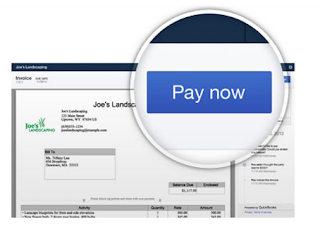
Want to get paid faster? Of course you do!  With QuickBooks Online you can! Information from: http://quickbooks.intuit.com/blog/5-tips-on-how-to-get-paid-faster-in-quickbooks/ Change your payment term to Net15, meaning your customer has to pay you in 15 days or less To set payment terms, click Gear > Company Settings > Sales > Sales form content >  Preferred invoice terms. If you think your clients will not understand what Net15 means, simply change it to in 15 days. You can even set it for Net30 if you want to give your customers more time. Check in with your customers before emailing the invoice. You can call or email asking how if they loved your service and if there is anything more you can do, then tell them that their invoice will be coming to them shortly. How to Send an Online Invoice With QuickBooks Online you can create invoices with your logo and a small text informing your customer that they have a payment due.....

QuickBooks Online Update

Image
There is a new update for QuickBooks Online! Making it easier to use and creating less work for you! Inventory Tracking: Now be able to upload a product image and create individual SKU for every inventory item Be able to see more products in one list Copy existing items by clicking duplicate so you don't have to re manually add them Make multiple inventory items inactive by going down the list and checking the boxes next to your inventory items Emails: There is now a cleaner look to the emails that are sent out to clients reminding them their payments are due. Making you look more professional!  QuickBooks Online now has a Desktop App for Mac and Windows! Be able to open your QuickBooks straight from your desktop! You can even have multiple pages up so you can work on different businesses at once! QuickBooks Online is made to make your life easier! Call The QuickBooks Gal today to start working on your QuickBooks Online, it does mo...

QuickBooks Online Home Page

Image
New to QuickBooks Online? Here are some tips about the home page to help you get the most out of QuickBooks Online 1) The QuickBooks Logo No matter where you are on QuickBooks Online, press the logo and you are sent straight back to the homepage 2) Welcome Guide Have a question or maybe you forget how to add a check, check the Welcome Guide and most of your questions can be answered. Can't find the answer? Call The QuickBooks Gal! 3) Private Mode Need to do some work at Starbucks? Hide important information with in Private Mode, so wondering eyes don't see 4) Bars in the Income Section This is the most important part of the home page! See overdue and paid transactions! QuickBooks Online is made to help make your life easier!  Have a question or concern?  Call The QuickBooks Gal today!  Don't forget QuickBooks Online is mobile, which means you can use it anytime, anywhere! 

Nevada Business Tax Update: Commerce Tax

Image
If you have a business in Nevada, you should have received a notice recently from the Nevada Department of Taxation regarding the Commerce Tax that went into effect July 1, 2015.   The Commerce Tax is a gross revenue tax on each business in this state whose Nevada gross revenue in a fiscal year exceeds $4,000,000. The Fiscal Year started on July 1 st , 2015 This tax is imposed on any business entity engaged in an activity with the object of gain, benefit, advantage, either direct or indirect, to any person or governmental entity. The tax is collected annually by the Department of Taxation with the first return and payment due August 15, 2016 for July 1, 2015- June 30, 2016.   All Businesses are required to file to Commerce Tax Return From annually. The tax is based on Nevada Gross Revenue as defined in Section 8 of Senate Bill 483 pursuant to section 22, and may include various adjustments to that amount pursuant to section 21 of the bill to the extent they are ad...

QuickBooks Online: New Apps

Image
QuickBooks Online has Apps and Add-On's made to help you get the most out of QuickBooks. Here a new Apps that have been introduced to QuickBooks Online! Shopify With Shopify you are able to import all your orders through Shopify to QuickBooks, that way you don't have to manually add each product. Plus this means less work for you!  You can export all your orders into a sales receipt. Choose the dates and the products to create custom sales receipts! Taxes are automatically added! Shopify will add the Tax to your items for you. That way you know you aren't under charging your customers! DataQlick Track your sales in the most detailed way possible with DataQlick Choose to see your information through statistics, KPI, charts, tables and reports. Save you time and effort! With DataQlick create, prioritize, tag, communicate and assign tasks to teammates or even clients. DataQlick helps you get your work done fast! Which means mor...