Posts

Showing posts with the label Intuit

How to create an invoice in QuickBooks Online

Image
Create an invoice in a few easy steps: 1. Select the customer you’d like to invoice. If it’s your first customer, you’ll be guided step by step. 2. Choose your payment terms. This is the date you’d like to be paid. The default is net 30 days. 3. Enter the product or service you’re selling (e.g., design services). 4. Enter a description of the service or product for your customer (e.g., Graphic design for Jane’s website). 5. Enter the rate or how much you’ve charged the customer. 6. Choose an income account which categories your receivables (the money coming in to your business).   Customize your invoices to fit your business: You can easily customize our standard invoices to fit your business needs. Want to add discounts, show quantities, or automatically include VAT on your invoices? No problem. Just click the “customize” button on your invoice screen and discover how you can tailor the invoices to meet your specific needs. Add your logo for a professional look...

Intuit QuickBooks Payroll

  Payr oll Update: Revised Tax Tables   Intuit has released  Payroll Update 21316 , with revised tax tables. Several forms updates are included for Standard and Enhanced Payroll customers. This email also contains timely information about the  Affordable Care Act . It's important that you receive everything in the Payroll Update  so that you will be in compliance with legislation that affects your payroll. For details on the contents of this update, open QuickBooks, go to  Employees > Get Payroll Updates , and click on the Payroll Update Info  button. How do I know I have the Payroll Update? To make sure that you have received the latest update, open QuickBooks and choose Employees > Get Payroll Updates . You should see a message that says,  "You are using tax table version: 21316." If you do not have version 21316, click  Update .  Get more detailed download...

QuickBooks Online Accountant Support

Image
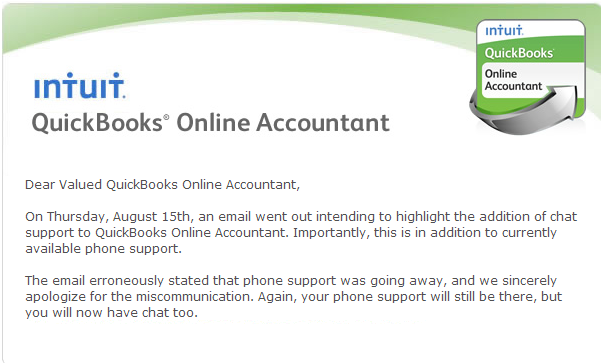
IMPORTANT UPDATE: Intuit will be offering Online Support AND Phone support. Phone support will continue.  If you use QuickBooks Online Accountant, here is an announcement sent out by the Intuit team regarding their methods of customer support. 

QuickBooks Online: The Better Solution for You

Image
Need to do your accounting, but want a vacation? We have the solution! QuickBooks Online is an accessible, safe, and easy way to simplify your accounting. With no software to download, using QuickBooks online is as easy as using any other website. Plus, you can use it from any device anywhere you want! Here are the top 5 reasons QuickBooks Online will work for you: 1. QuickBooks Online is accessible anywhere with an internet connection. If a vacation is needed but you must keep up with your books, do your accounting on the beach! 2. Using QuickBooks Online means you are working live. Once you work in your file, there is no need to save the data or back it up. It is automatically updated. This is especially convenient if you have multiple users in your file. No need to transfer backups, or bother with restoring your files. 3. Updates happen often and automatically. With QuickBooks online you do not have to worry if all users are updating the company file, as it is ...

Intuit Payroll Maintenance- Critical Notice

Image
Intuit has announced the following about scheduled maintenance regarding their Payroll products: The Intuit Small Business Division, including QuickBooks and QuickBooks Payroll product lines, will be performing a system-wide upgrade starting on Thursday, May 24, 2012 at 6pm PT and ending on Tuesday, May 29, 2012 at 5am PT. Our goal with this upgrade is to provide you and your clients with a complete view into all of the Intuit products and services you use and improve your overall support experience by getting you to the right team Customer Care team member quickly. As a result of this upgrade, some of the services you receive today on the Intuit.com websites, as well as within your QuickBooks and/or QuickBooks Payroll products will be temporarily unavailable at various times throughout the weekend. Unavailable from May 25 8pm - May 26 2am        Creating direct deposit paychecks Unavailable from May 24 6pm - May 29 5am   ...